
You are paying for Copilot seats nobody is using.
Do you know which ones?
See named inactive users, near-inactive users, dollar waste, and a reclaim plan - before your next renewal costs you more. Works from your very first license. No Viva Insights required.
No credit card required. Connect your tenant in one click.
You are paying for Copilot. But you cannot see who is using it.
Microsoft 365 Copilot costs $30 per user, per month. For a team of 20, that is $7,200 a year. For 50 users, it is $18,000. At renewal time, someone in your organization is going to ask: is it working?
Here is the problem. Microsoft's native reporting shows you aggregated group trends. It does not tell you which specific users have not opened Copilot in 90 days. It does not convert idle seats to a dollar figure. And if you have fewer than 50 Copilot licenses? It shows you nothing at all. So most organizations walk into their Copilot renewal conversation with gut feelings and group averages instead of facts.
Adovance gives you the facts.
Who's using the licenses we bought?
Microsoft's dashboard shows group trends, not named users. You cannot answer the CFO's question.
What are idle seats costing us?
Assigned-but-unused licenses burn real dollars. Nobody is turning that into a hard number for finance.
Where is adoption lagging?
Adoption is uneven by department, role, manager, and app = but that detail is invisible in native reporting.
Can we trust what we're seeing?
Below 50 licenses, Microsoft shows a blank screen. Above that, user identities are hidden by default.
Microsoft shows you groups.
We show you names and dollars.
Viva Insights is a good starting point. But it was built for adoption tracking = not financial accountability. Here is exactly where it stops.
| Microsoft Viva Insights | Adovance | |
|---|---|---|
| Works below 50 Copilot licenses | No = blank screen | Yes = from license #1 |
| Shows named inactive users | No = groups only | Yes = named users |
| Converts idle seats to dollar waste | No | Yes = your actual license cost |
| ROI on your economics, not benchmarks | No | Yes |
| Reclaim action plan by department | No | Yes |
| AI-written executive narratives | No | Yes |
| Setup time | IT project | One admin click |
| Built specifically for Copilot | No = broad M365 reporting | Yes = Copilot-only |
"Microsoft shows you that your Marketing team has 68% adoption. Adovance tells you that three specific users in Marketing have not logged in since March = and that is $5,400 you could reclaim before your June renewal."
Everything you need to defend your Copilot investment
Named Inactive Users
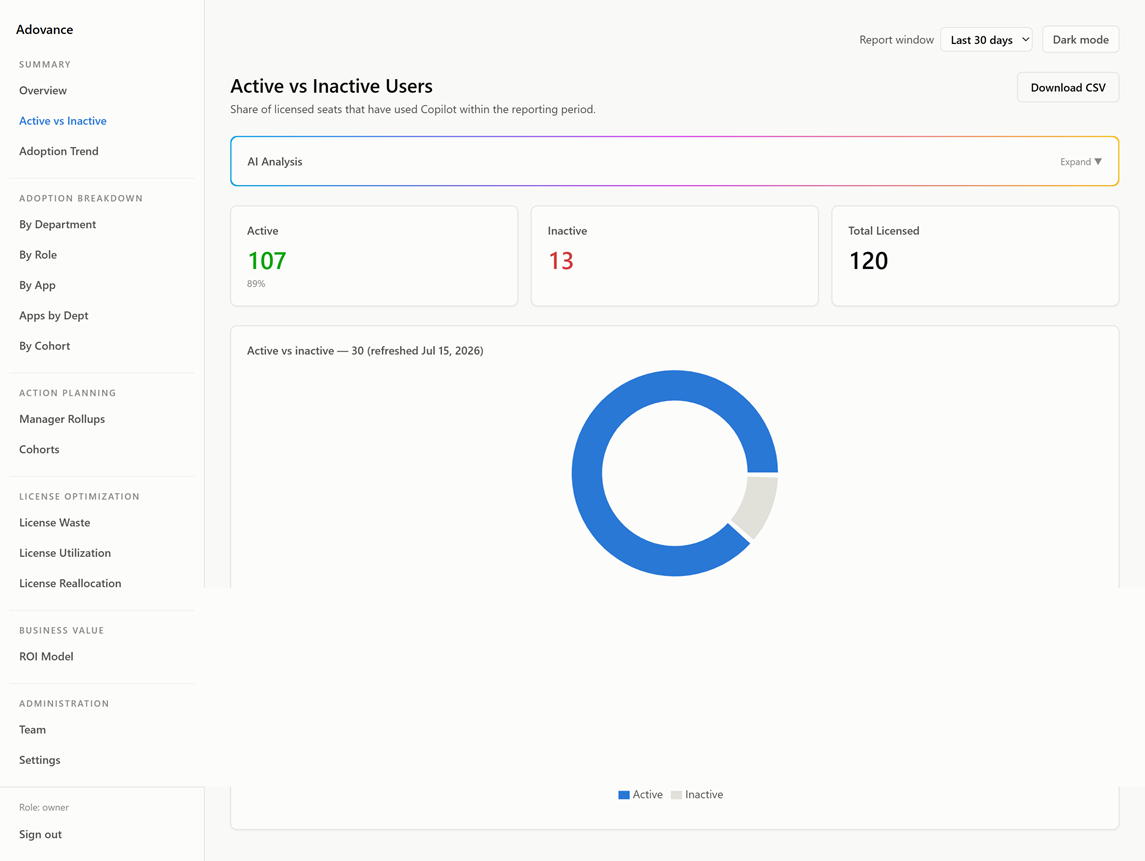
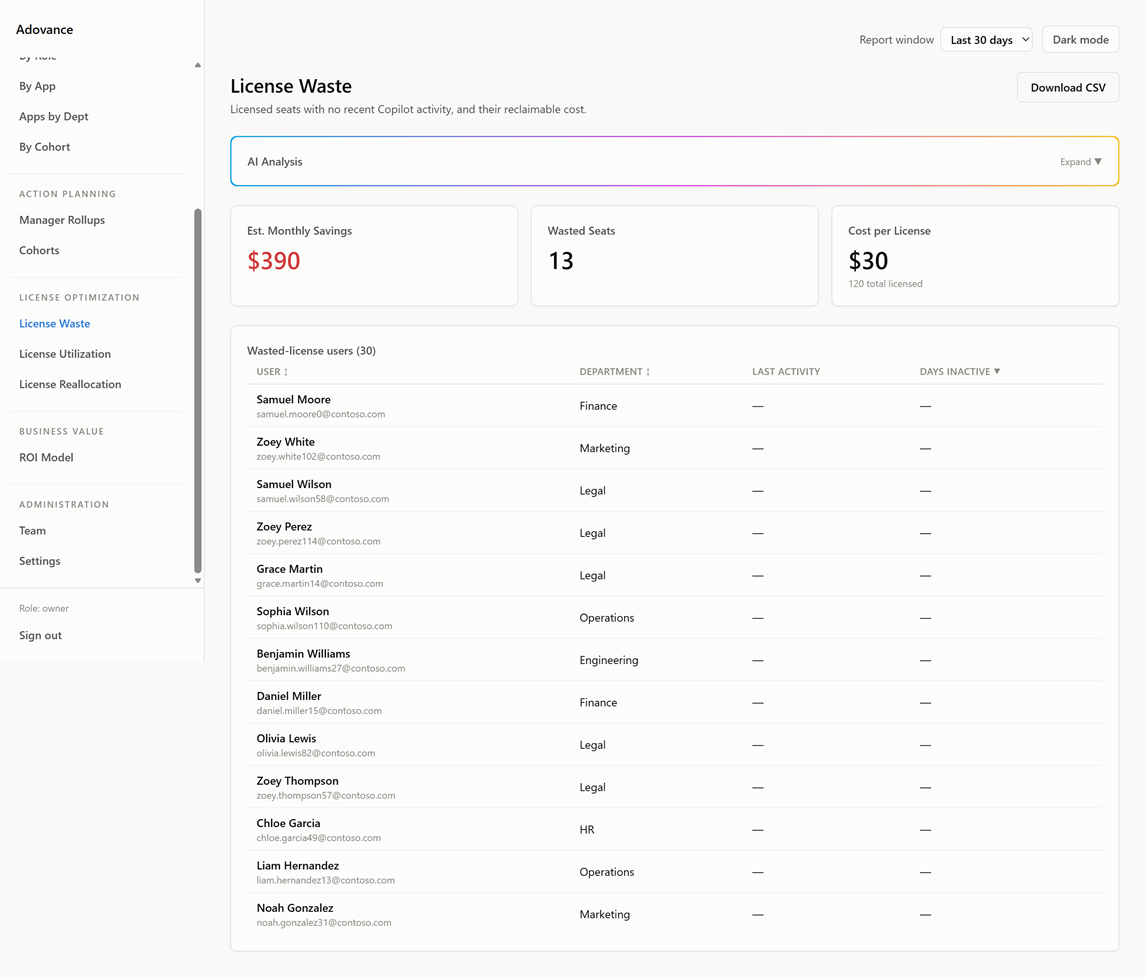
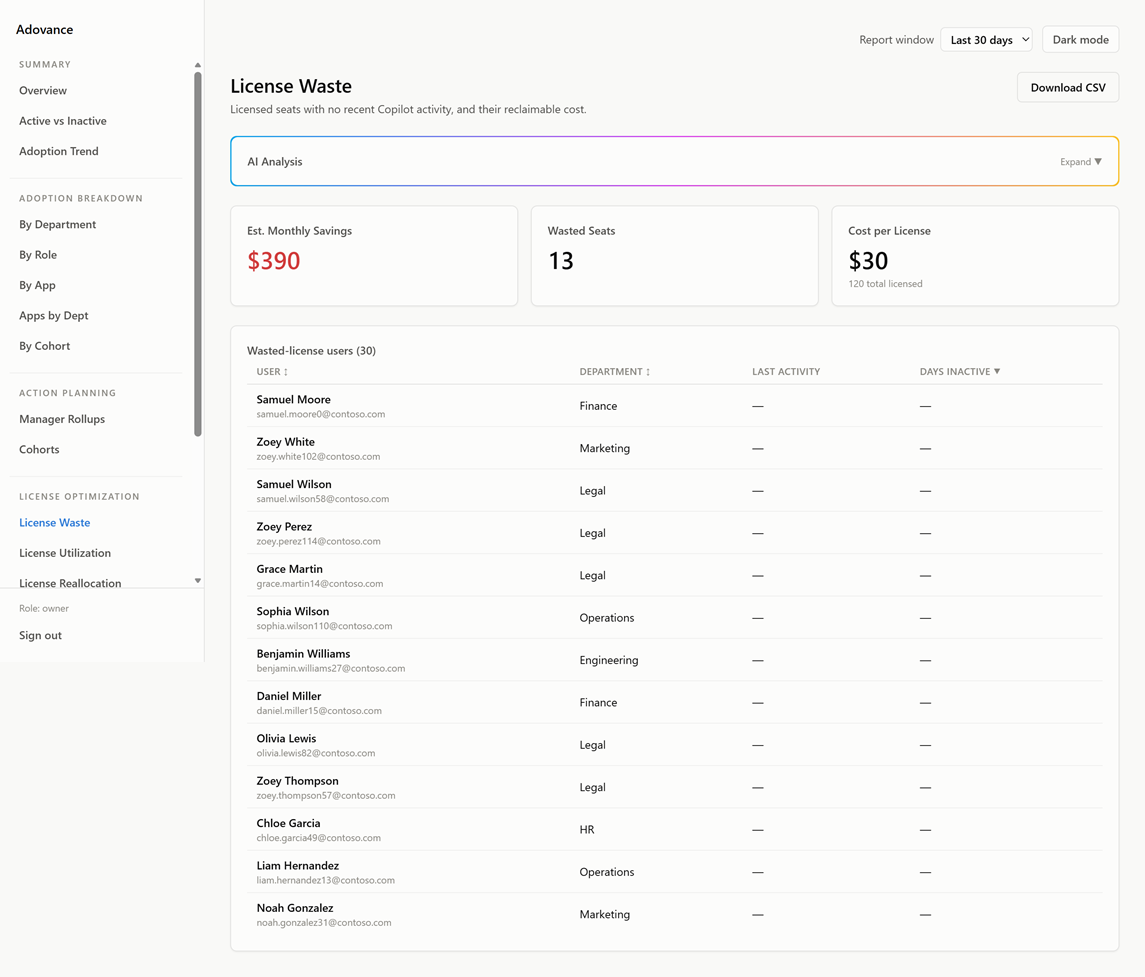
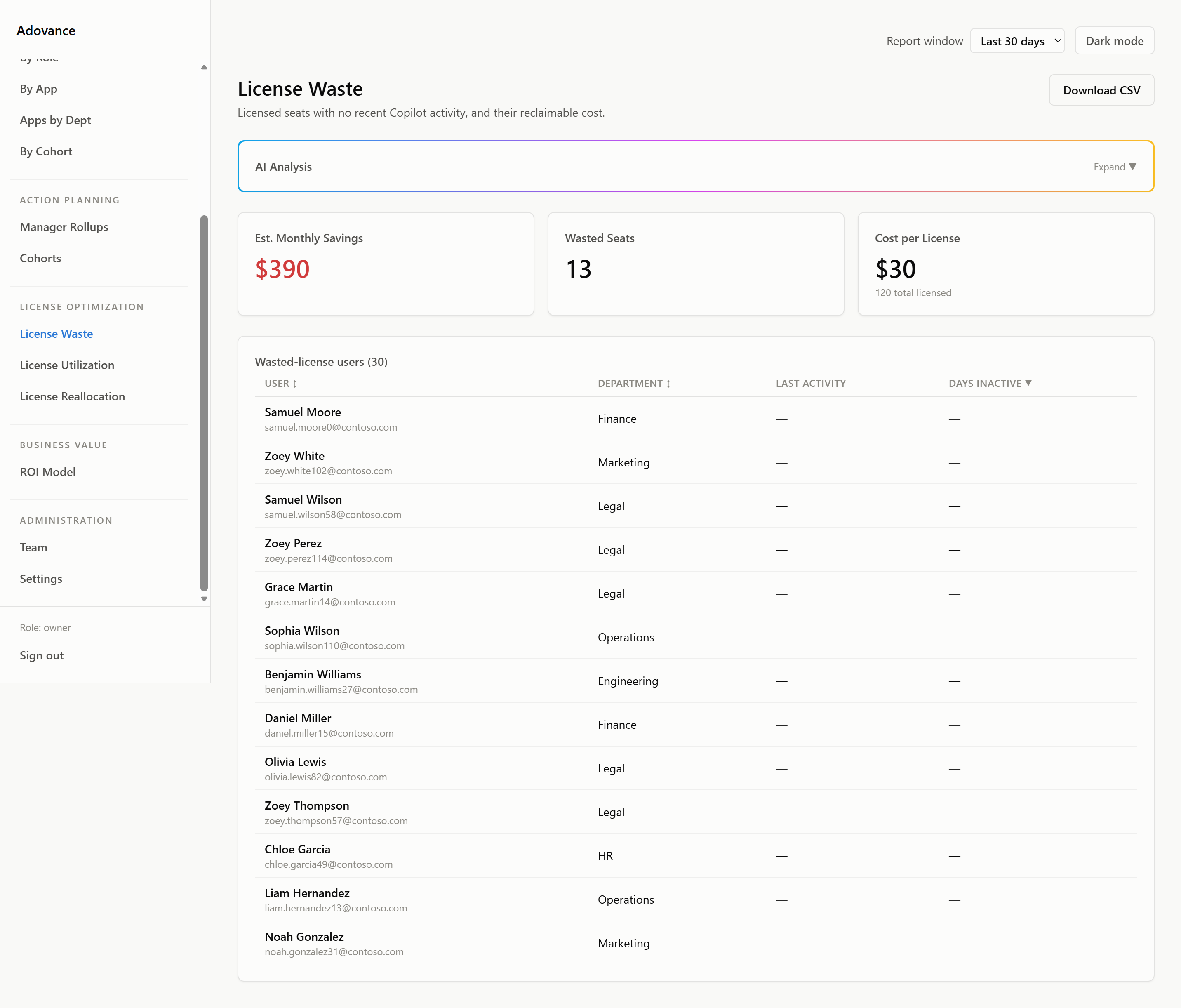
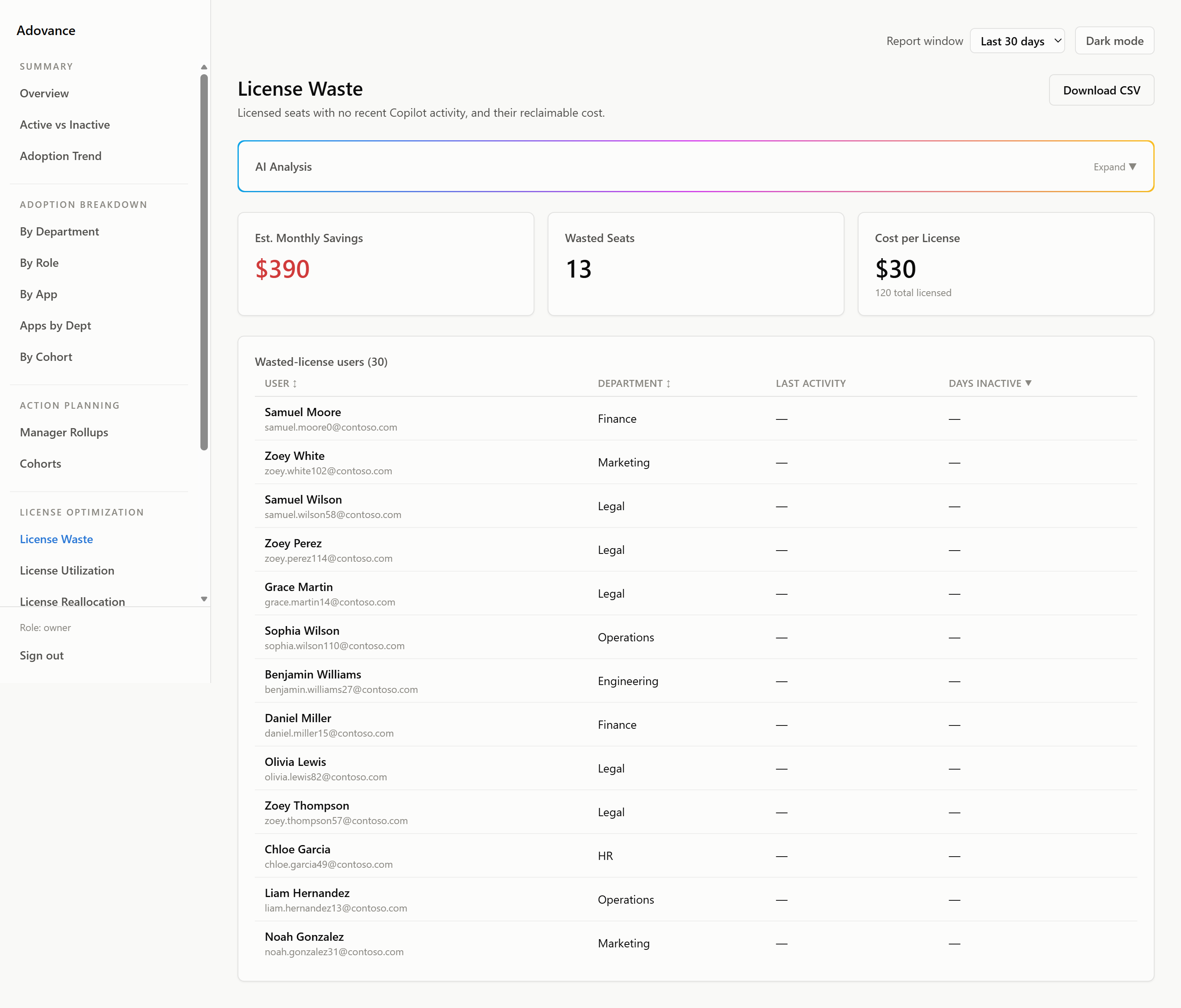
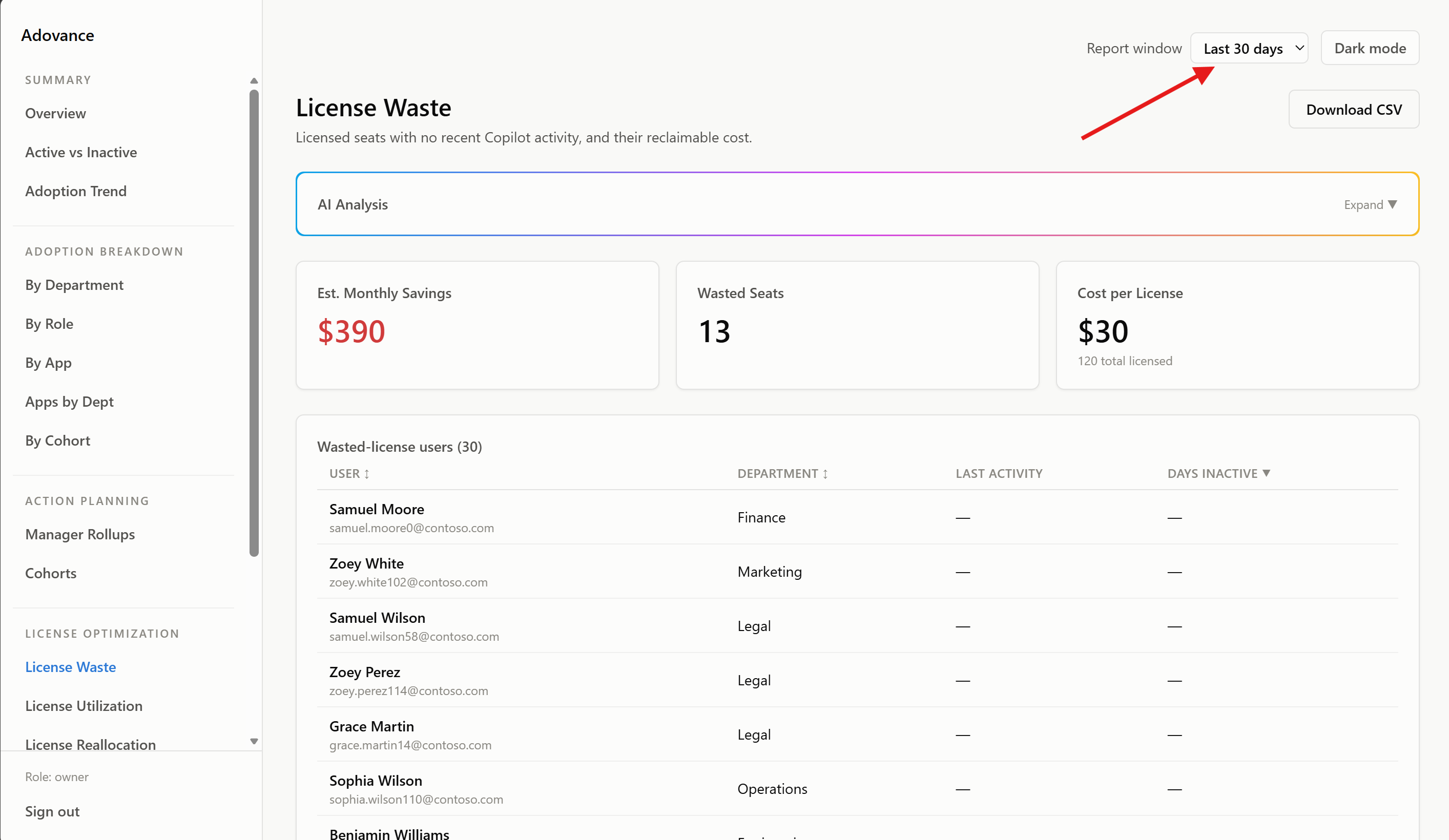
See exactly who has not used Copilot = by name, department, and role. Not a percentage. Not a group average. Names.
Dollar Waste Quantification
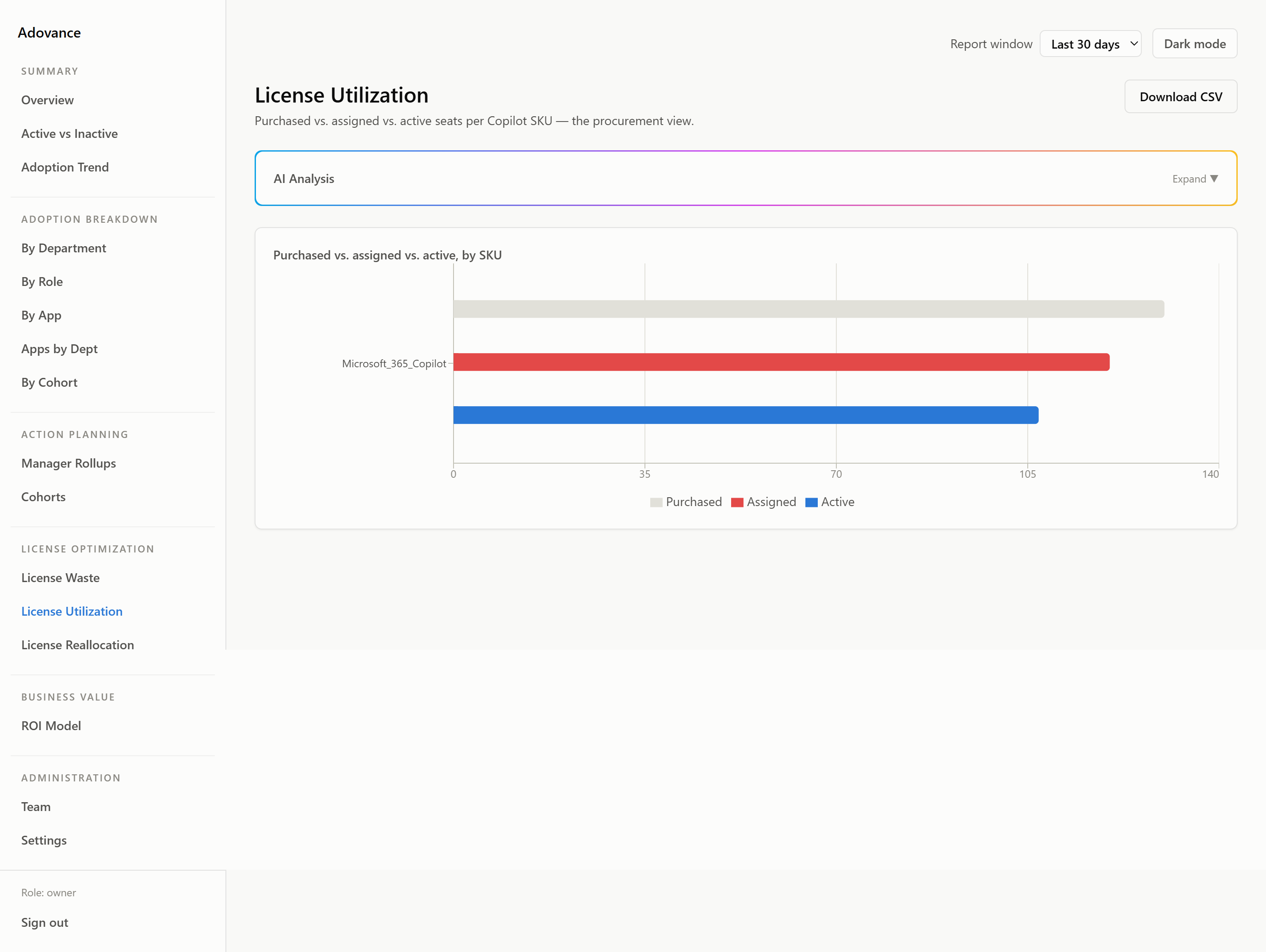
Your idle seats converted to a hard dollar figure using your actual per-license cost. Forward it to finance without touching a spreadsheet.
License Reclaim Action Plan
A department-by-department list of which seats to recover and where to reallocate them. Built for the conversation with your IT Director or Managing Partner.
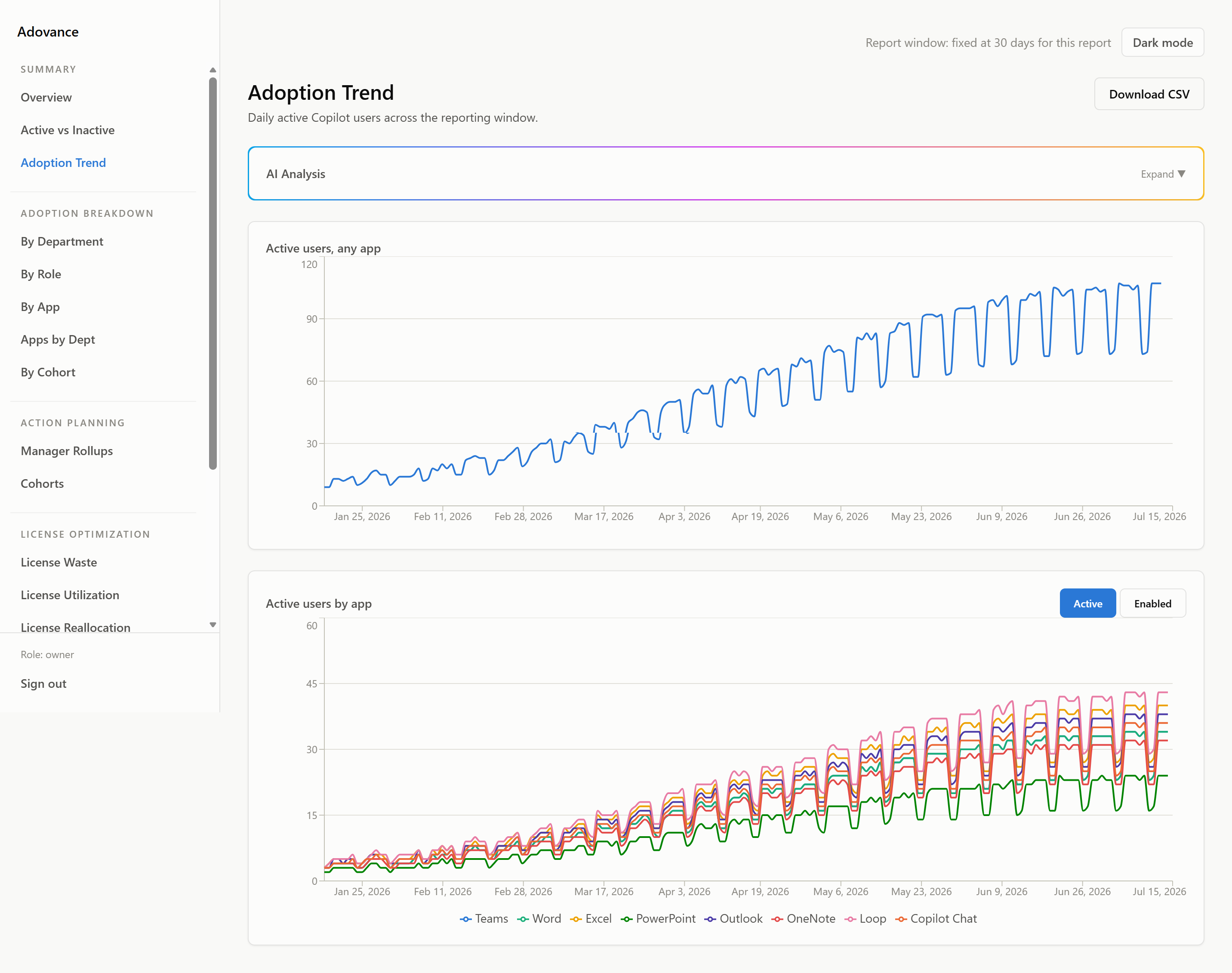
Trending ROI Model
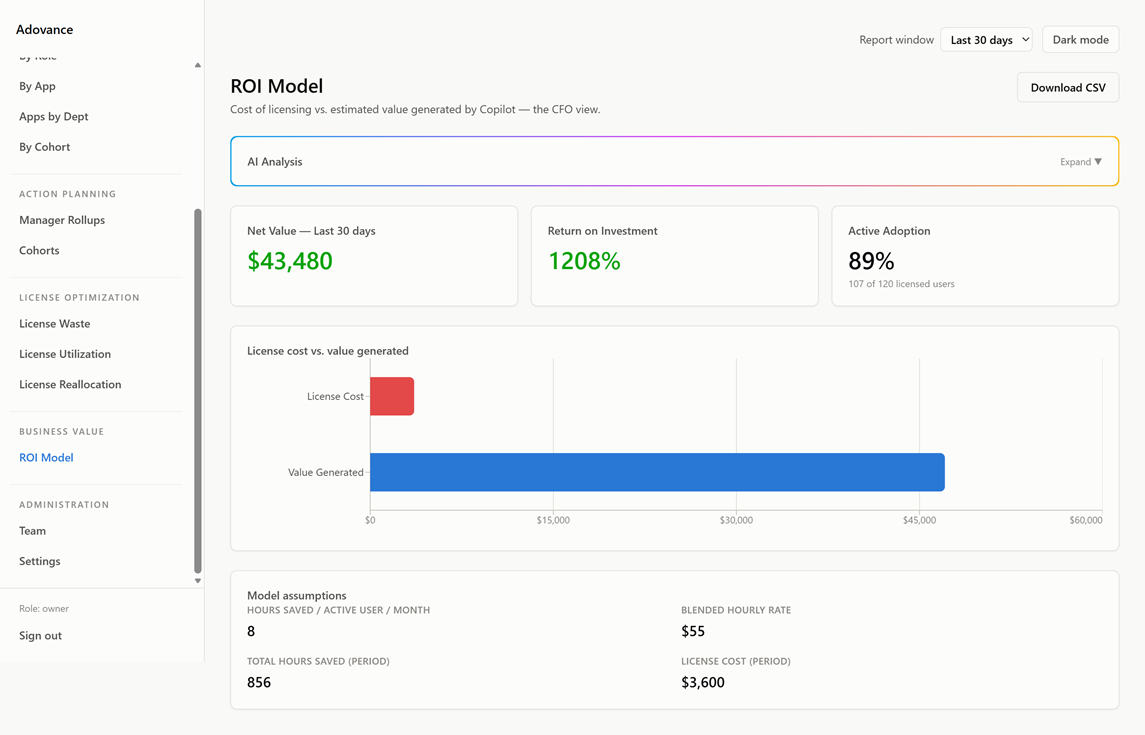
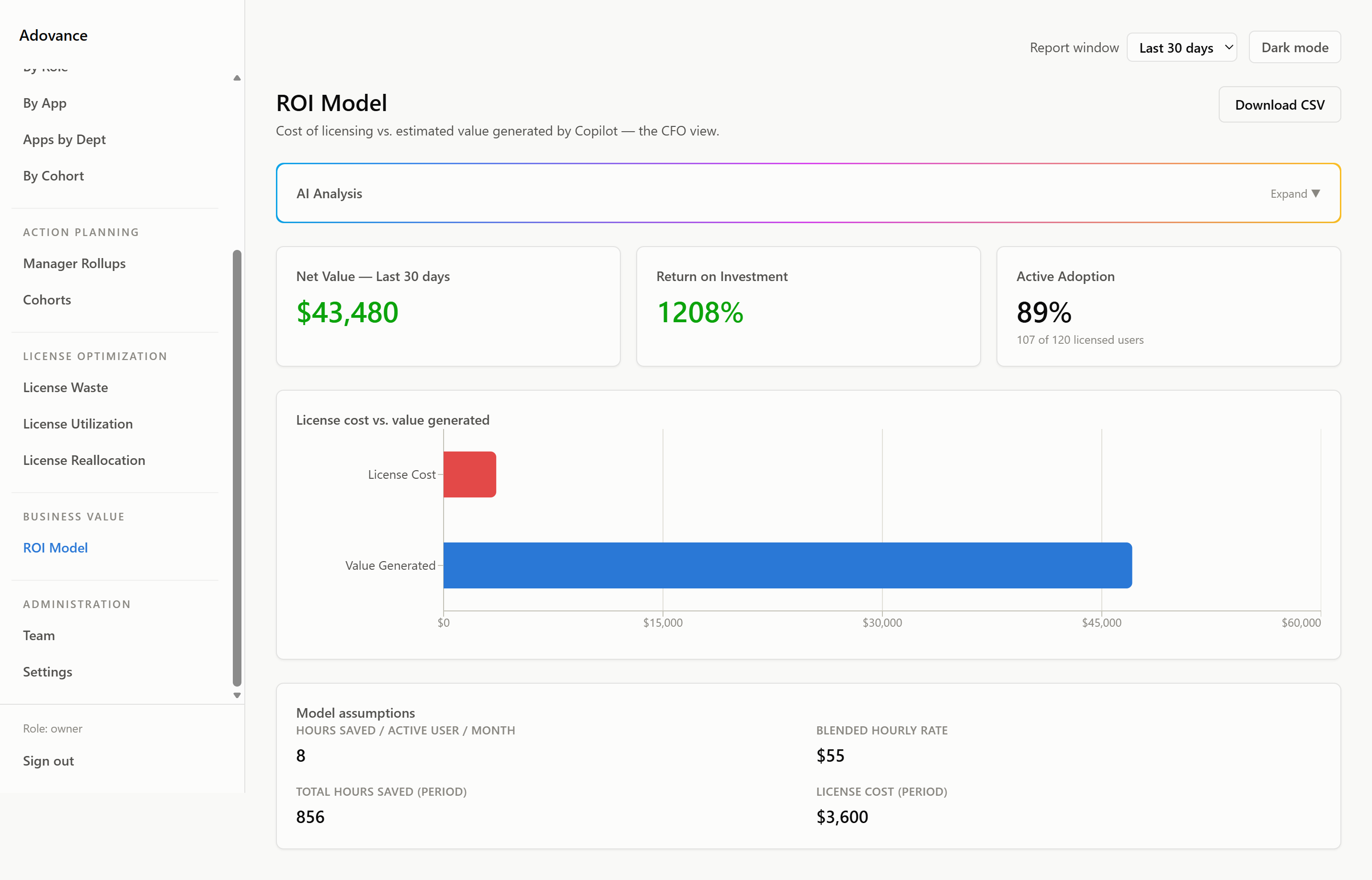
Your return on Copilot investment calculated on your economics, trending over time. Every renewal starts with data, not guesswork.
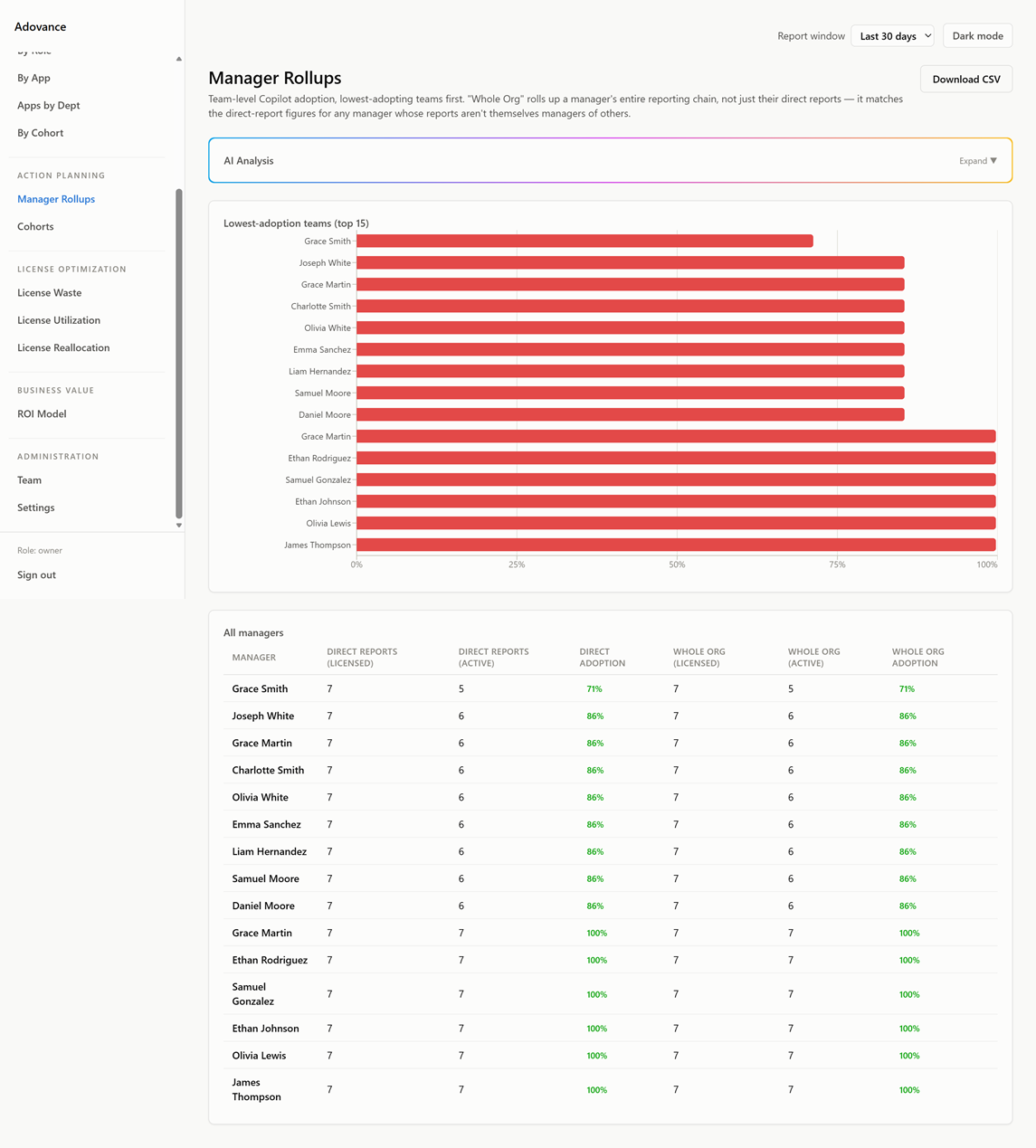
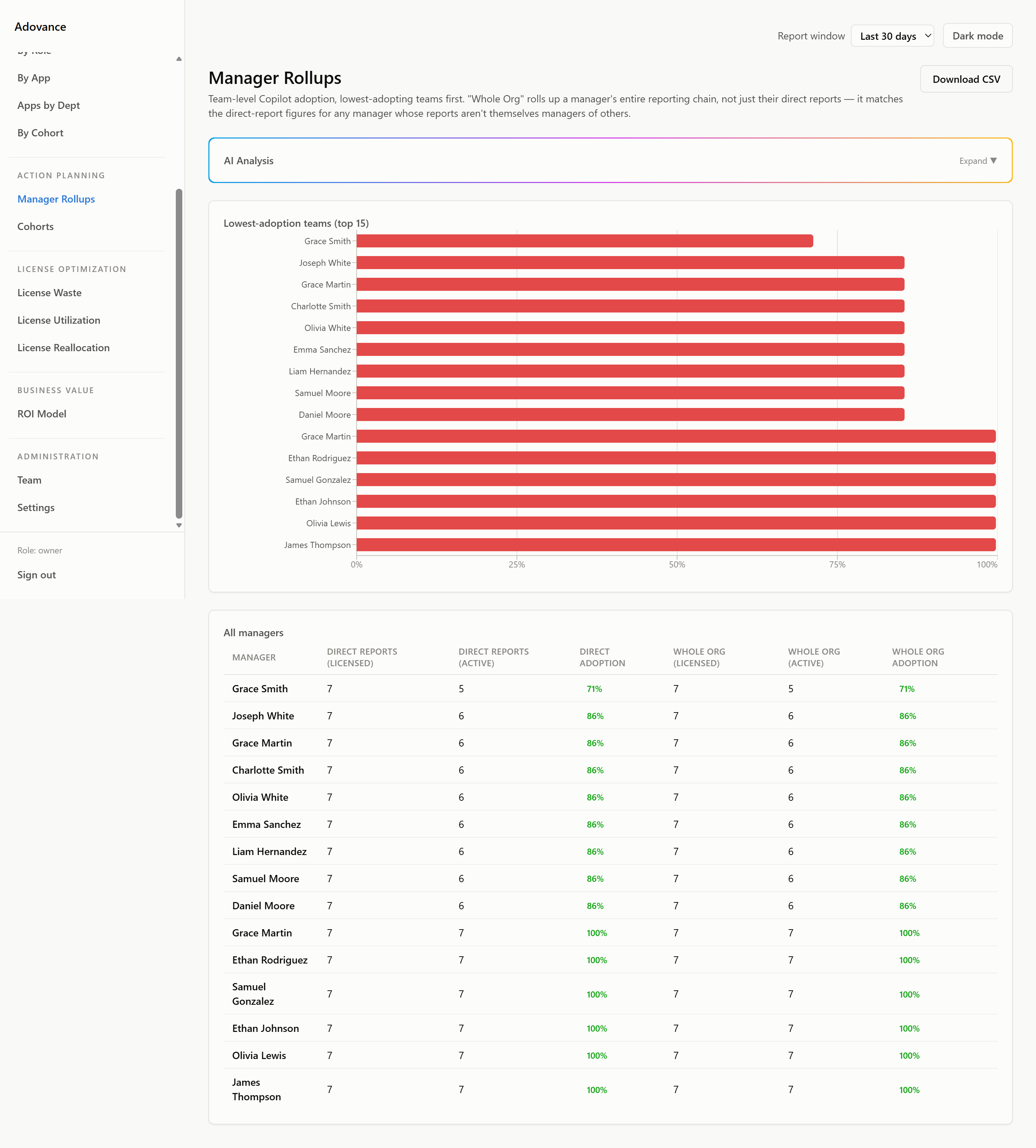
Adoption by Dept, Role, Manager and App
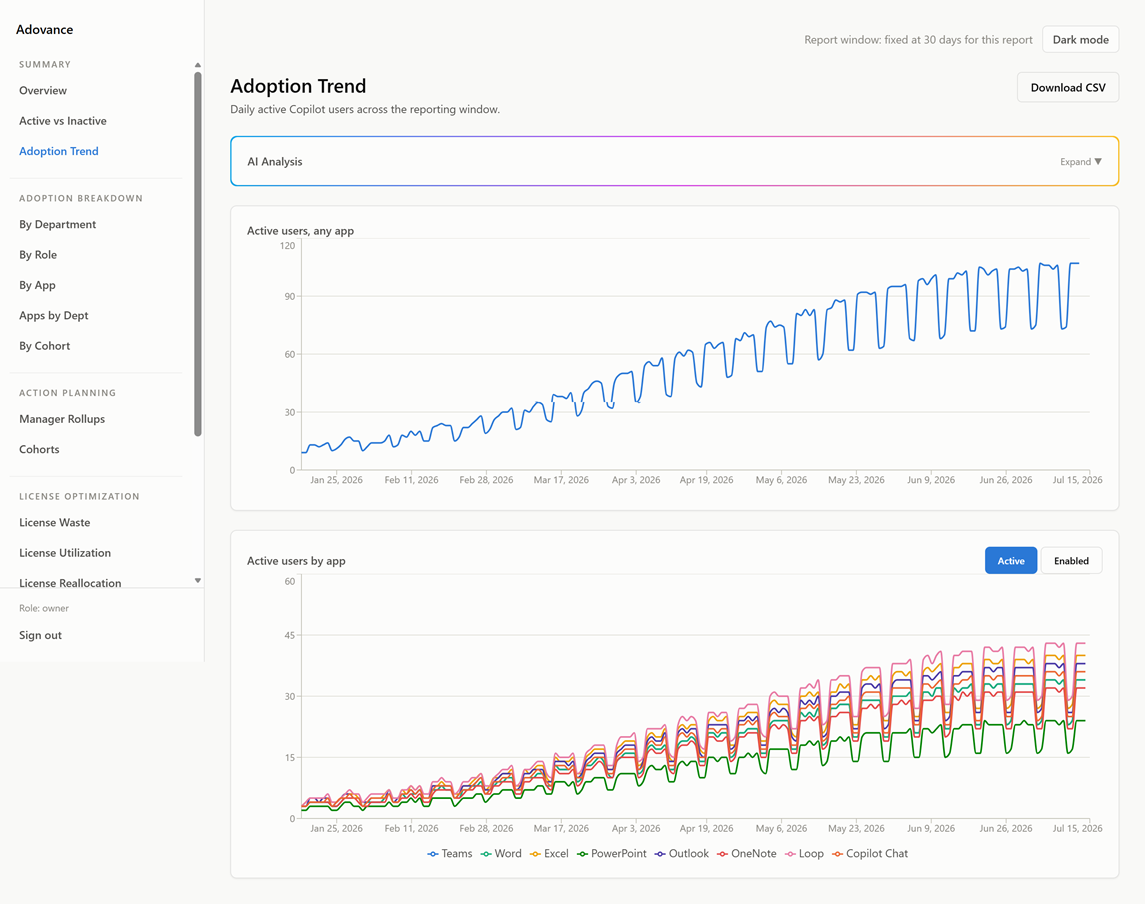
Drill into adoption at every level. See which teams are using Word Copilot vs. Teams Copilot vs. Outlook Copilot. Find the pockets of real value and the pockets of waste.
AI Executive Narratives
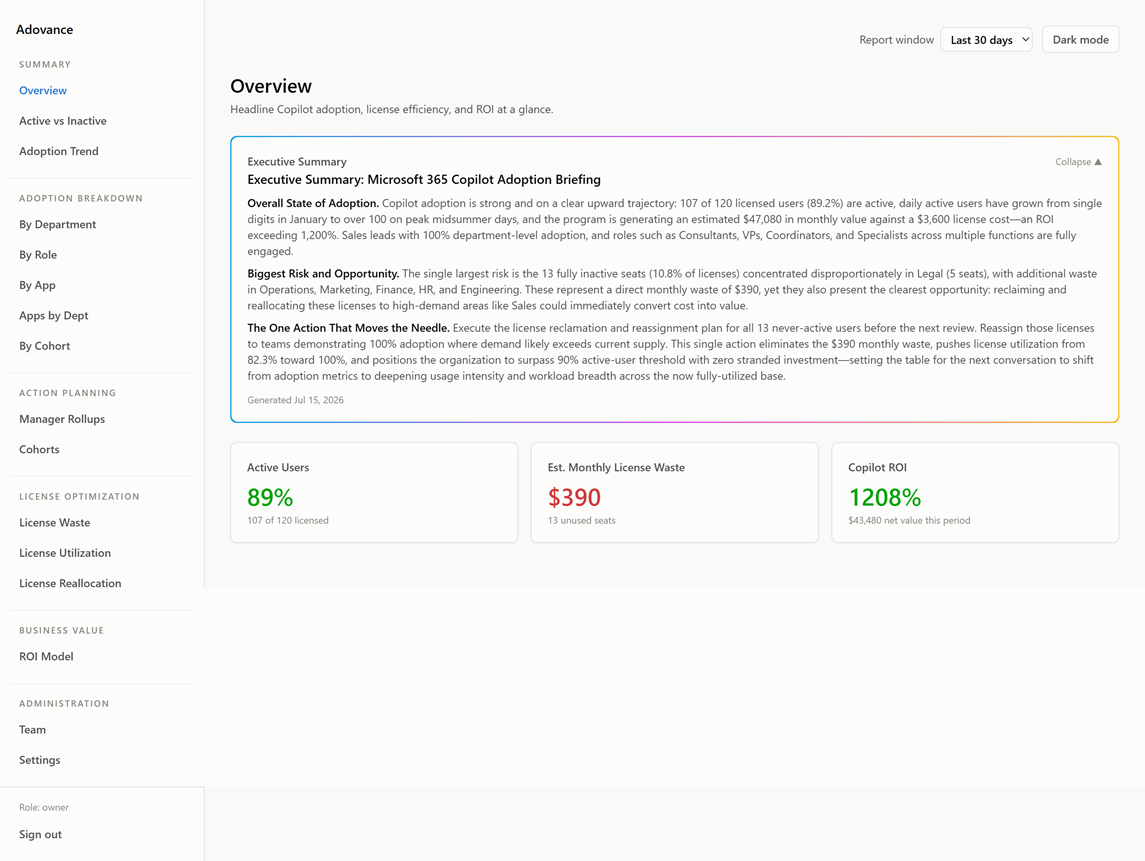
Every report generates a plain-English summary via Azure AI = ready to share with your board, CFO, or leadership team without edits.
7 / 30 / 90-Day Reporting Windows
Choose the window that matches your review cycle. Spot short-term drops and long-term trends in the same dashboard.
Data-Quality Banner
Instant alert if your Microsoft 365 settings are blocking accurate user-level data. You will always know if what you are seeing is complete.
Enterprise-Grade Tenant Isolation
Strict tenant scoping = your data stays in your environment. Optional dedicated database available for organizations with data residency or compliance requirements.
Built for the teams Microsoft left behind
Adovance was designed for two situations that Microsoft's dashboard does not handle.
You have fewer than 50 Copilot licenses.
Maybe you rolled out Copilot to your leadership team, a specific department, or a pilot group. You are paying for every seat. But Microsoft's Viva Insights shows you a blank screen = it does not function below 50 licenses.
You have no visibility. No accountability. And renewal is coming.
Adovance works from your very first license. You will see which users are active, which are idle, and exactly what those idle seats are costing you = before the renewal conversation starts.
Common fits: Law firms · Accounting practices · Boutique consultancies · Financial advisory teams · Healthcare admin groups
You have 50–150 Copilot licenses and Viva Insights is not cutting it.
You can see group-level trends. But your CFO is not asking about groups = they are asking about specific dollars. They want to know which seats to cut, which to keep, and whether the investment is defensible at the board level.
Viva Insights cannot answer that. It was designed for adoption coaching, not financial accountability.
Adovance fills the gap: named users, dollar waste, a reclaim-and-reallocate plan, and a trending ROI model built on your actual license economics.
Common fits: Operations-heavy organizations with a meaningful Copilot investment to defend
Adovance is probably not for you if:
- You have not purchased Copilot licenses yet
- You are looking for general SaaS license management across your whole tool stack (Zylo or Torii handle that)
- You already have a custom Power BI solution your CFO is satisfied with
Live in one click. Your first report in minutes.
No agents. No integrations to configure. No IT project.
One admin approval
Your M365 administrator grants a single consent in your Microsoft 365 admin center. That is the entire setup. Adovance connects to your tenant via the Microsoft Graph API = the same secure channel Microsoft uses for its own tools.
Your data, your environment
Adovance pulls your Copilot usage data and stores it in your isolated tenant environment. Your data never touches another customer's instance.
See your first report
Within minutes of connecting, you will see your Copilot adoption breakdown, your named inactive users, your dollar waste figure, and your reclaim action plan. Not tomorrow. Not after a setup call. Now.
Share it with leadership
Every report comes with an AI-written narrative = a plain-English summary ready to drop into a board deck, forward to your CFO, or present at your next leadership meeting. No analyst required.
Most customers see their first named-user report within 10 minutes of admin consent.
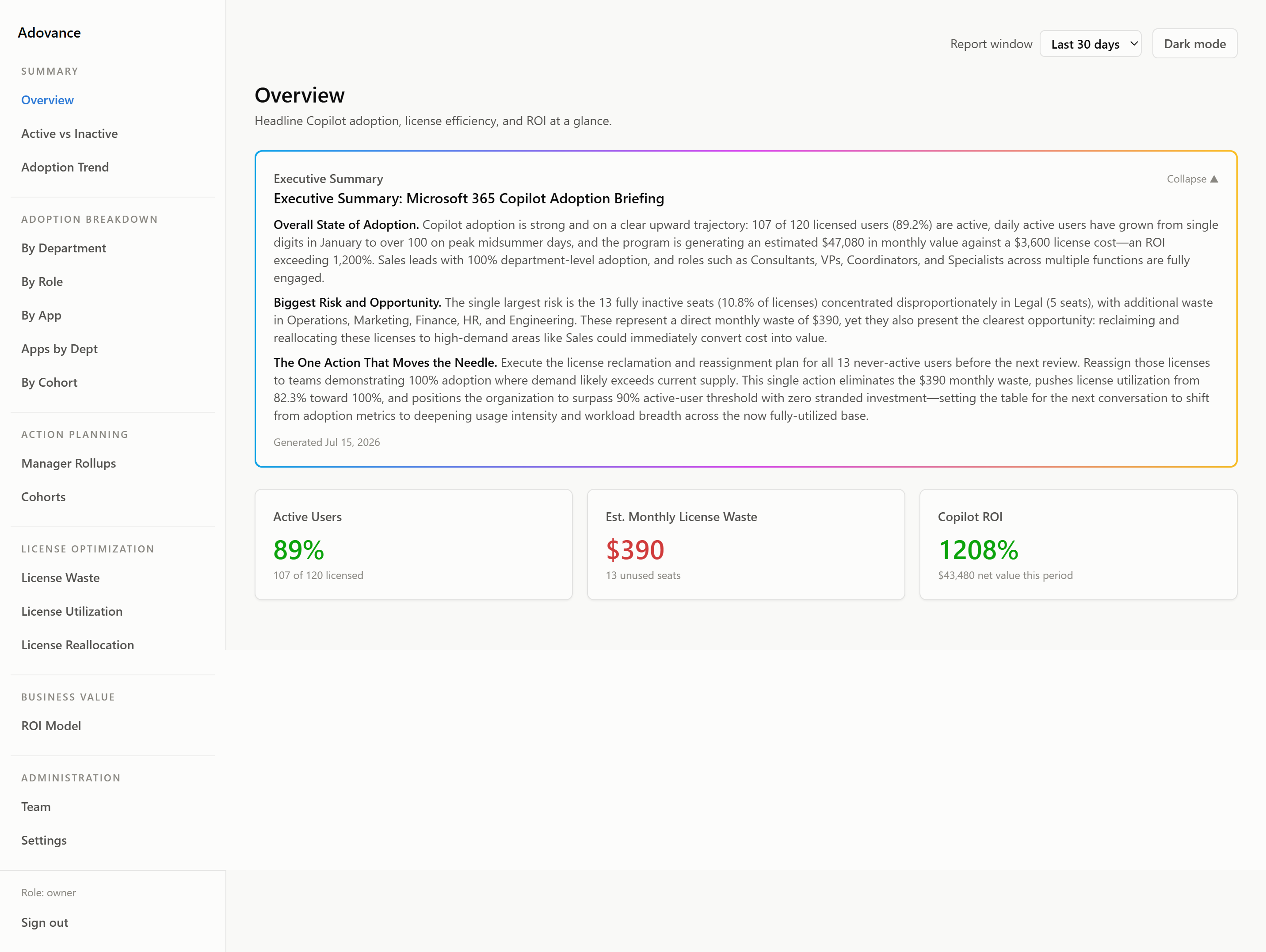
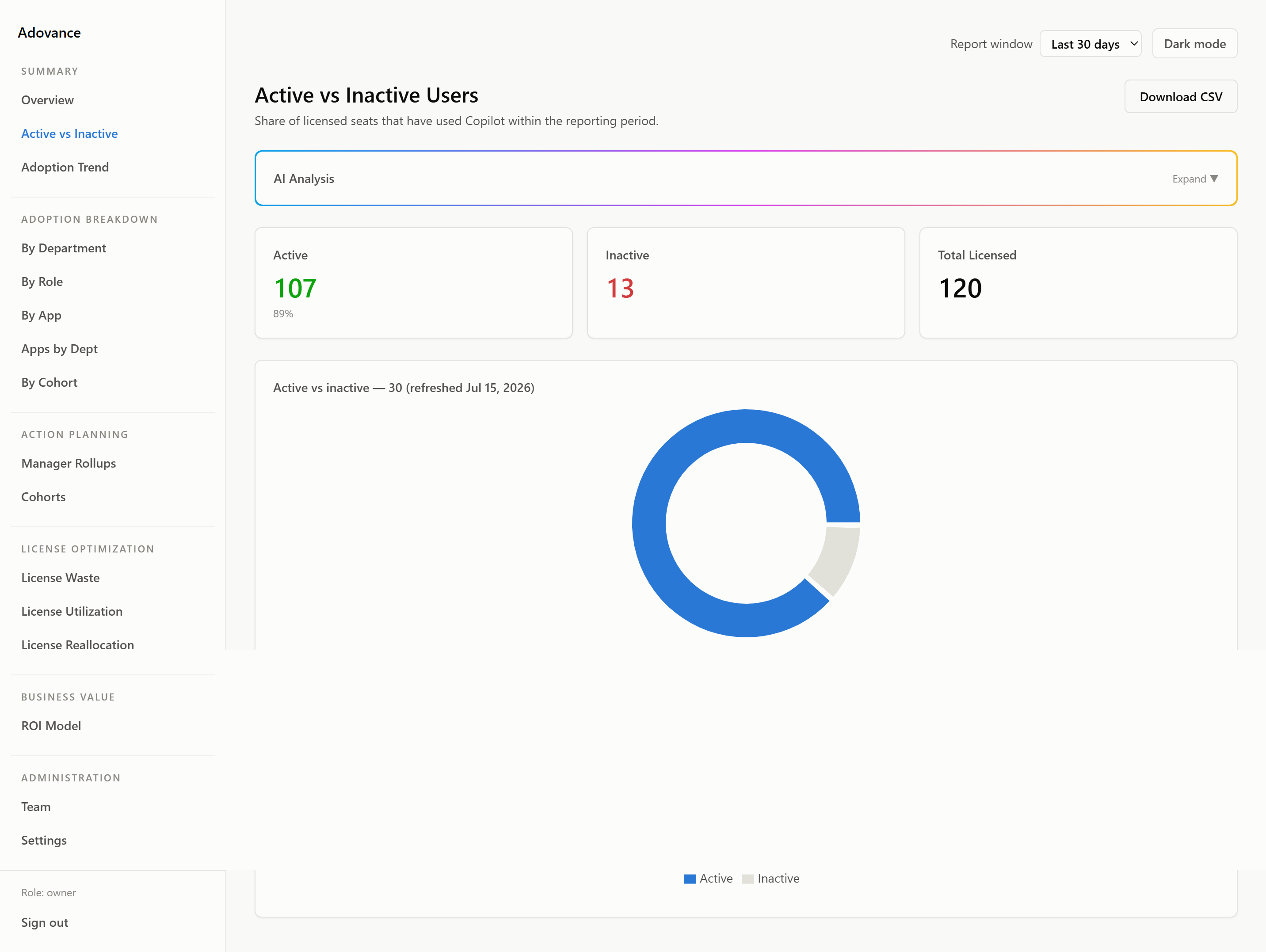
What Adovance Looks Like
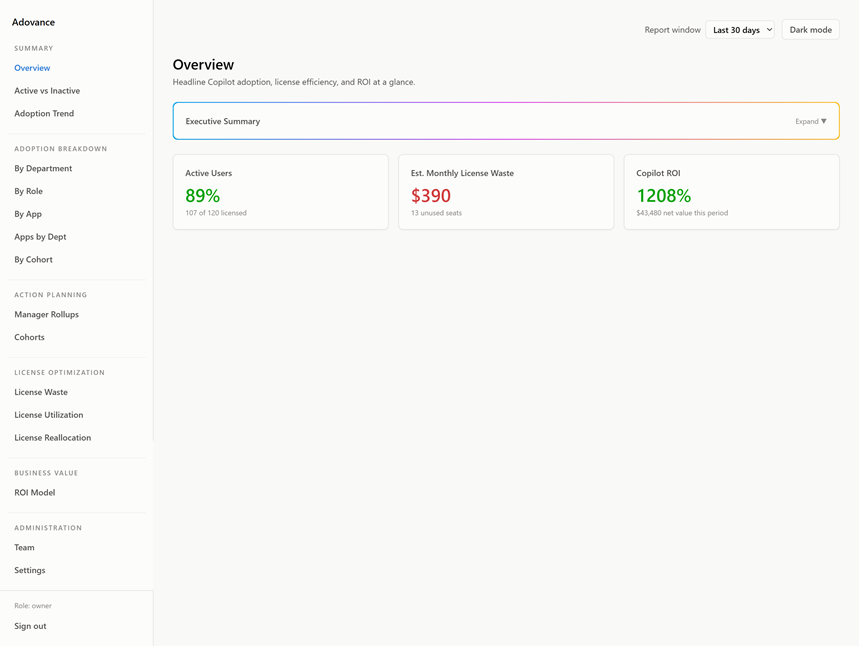
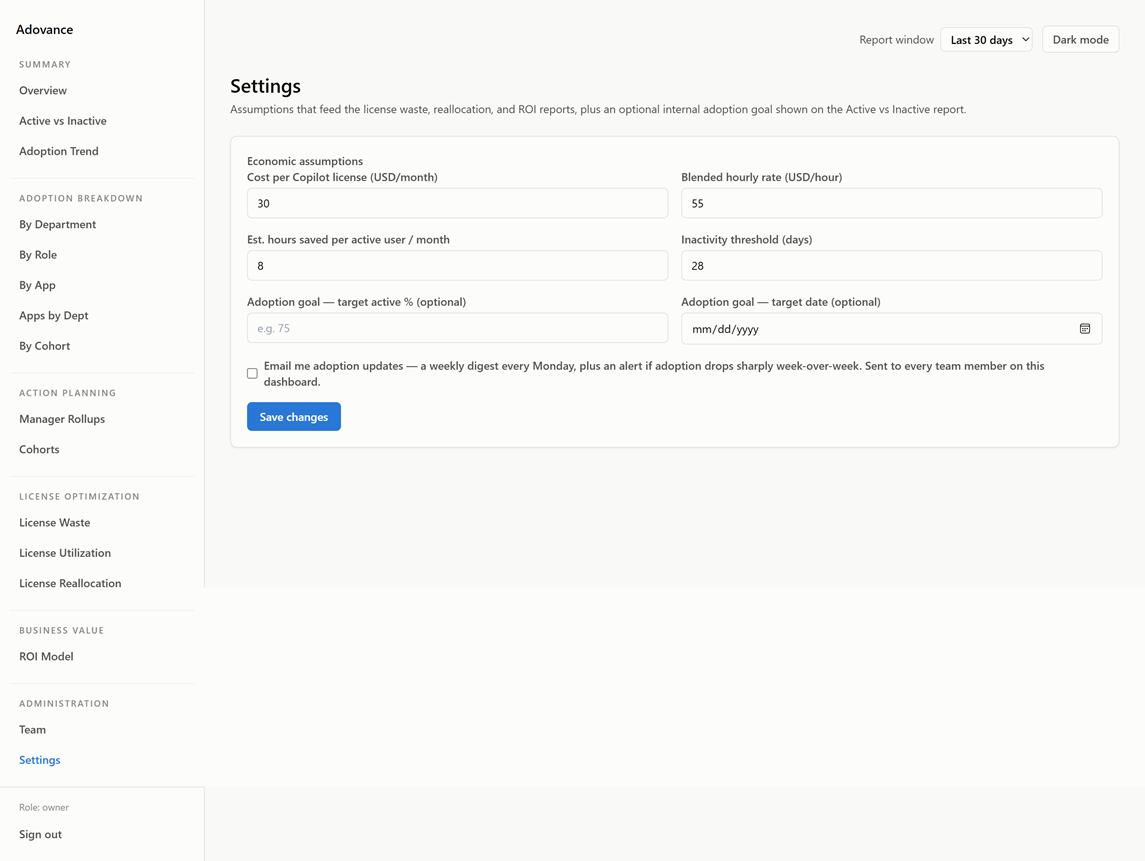
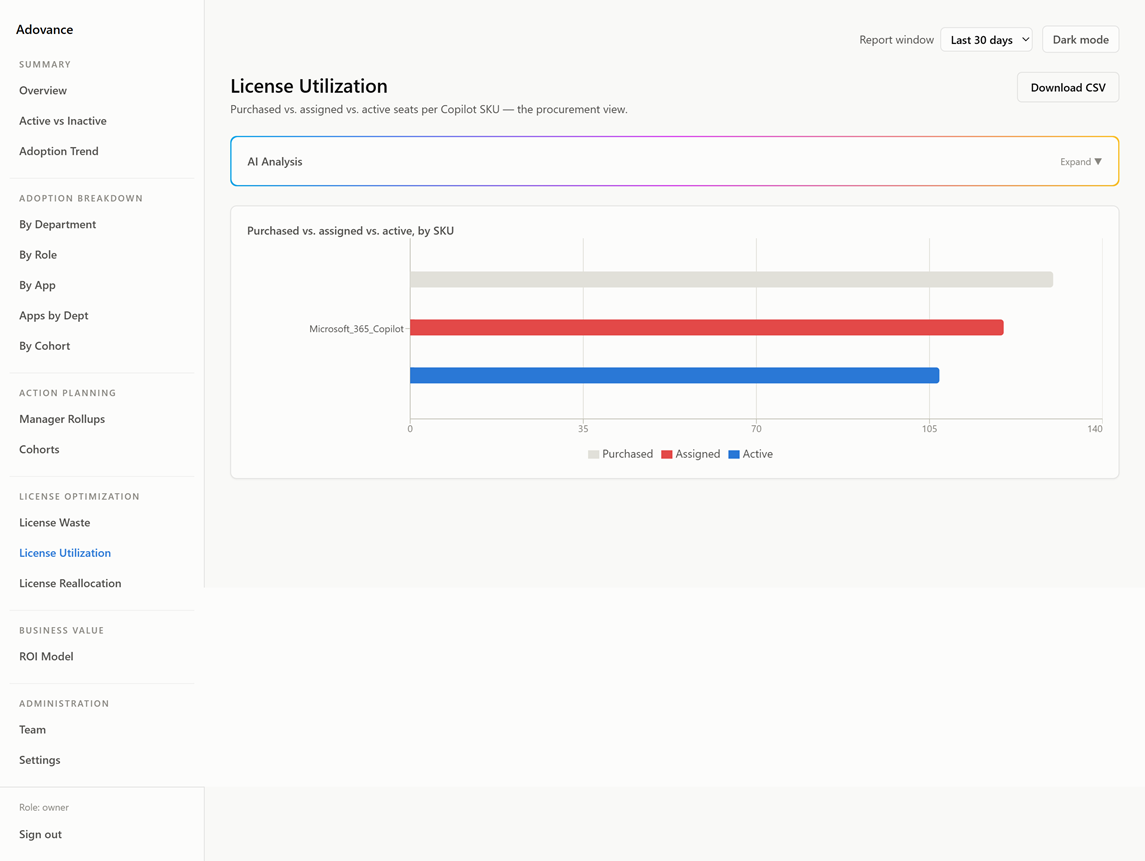
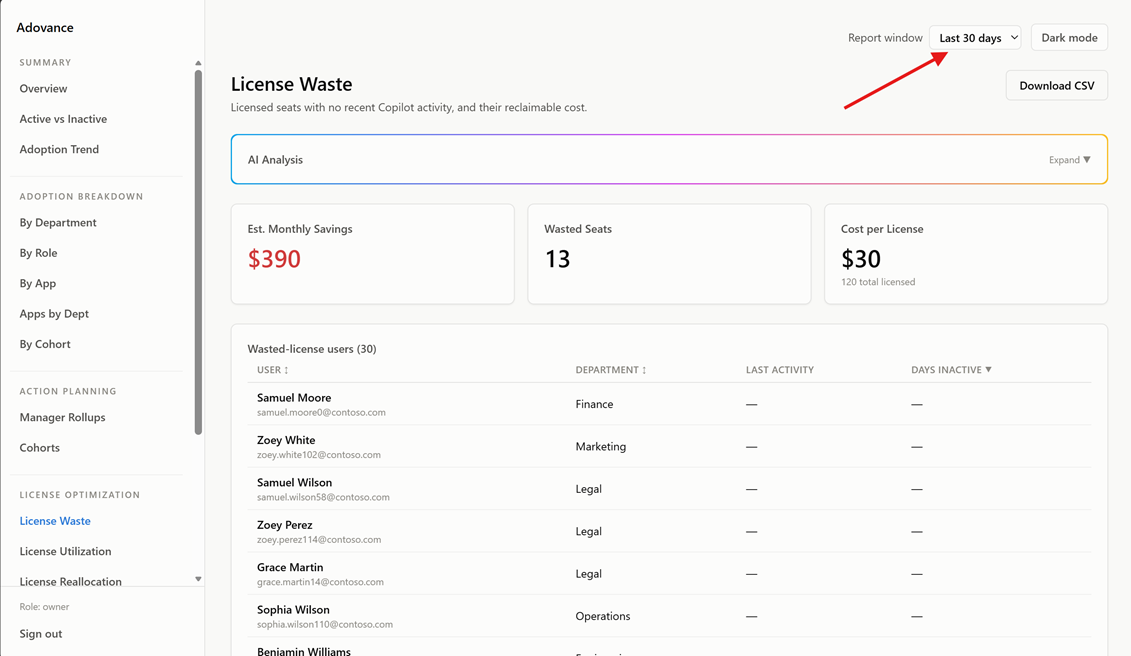
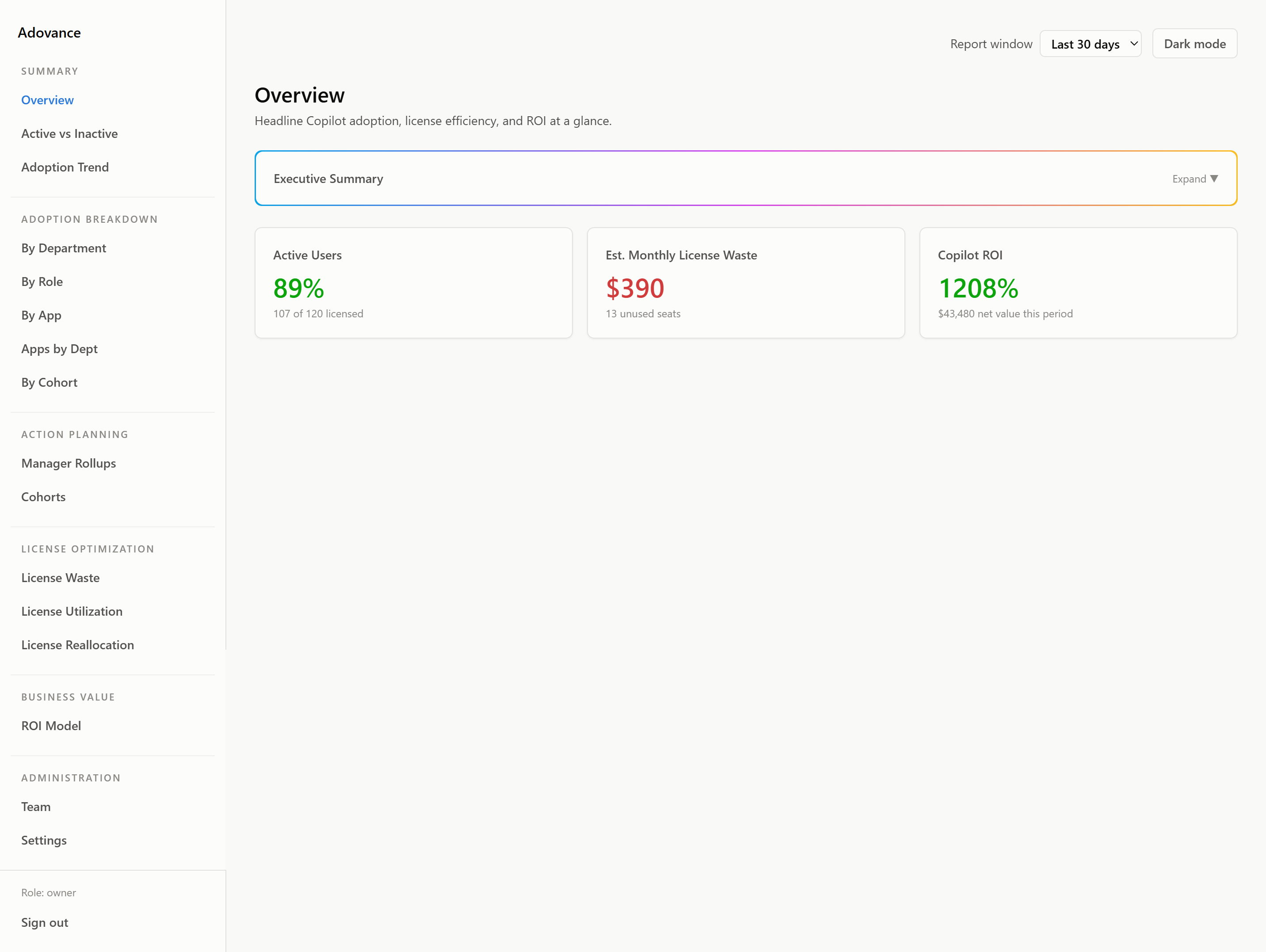
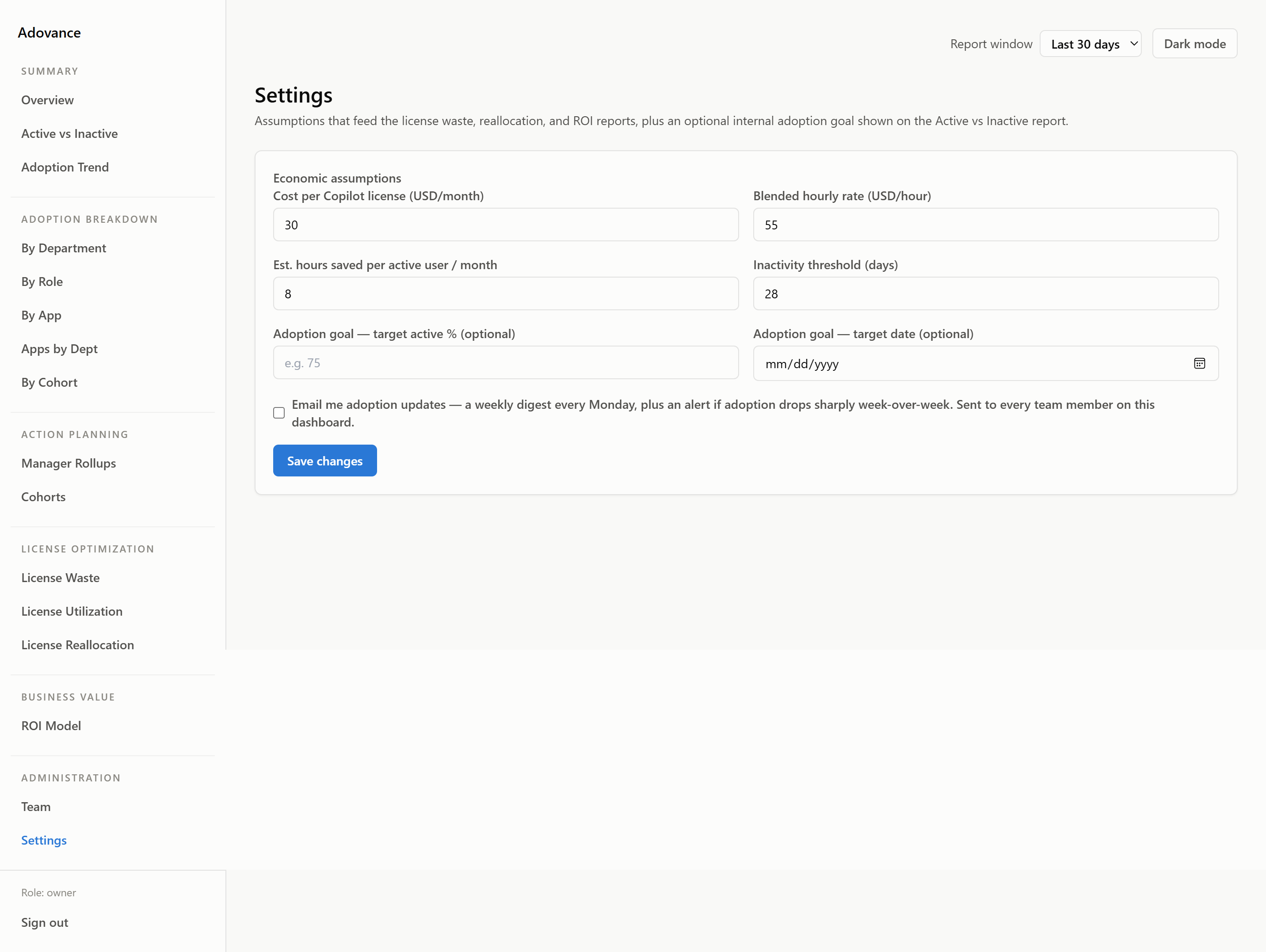
A quick tour of some of the reports you'll have access to. Scroll across the gallery and click any screenshot to open it full size.
Simple pricing based on your Copilot license count
One flat annual fee. No per-seat charges for Adovance. No hidden costs. And if you have fewer than 50 Copilot licenses = this is the only tool that actually works for you.
Built on Microsoft's stack. By someone who knows it.
Adovance was built by a Microsoft MVP = someone Microsoft itself recognizes for deep expertise in the Microsoft 365 ecosystem. It runs on entirely in the cloud, connects to your tenant, and is designed to integrate cleanly with the tenant security and compliance model your IT team already manages.
Questions we get before the first call
Why not just use Microsoft's Copilot Dashboard?
Microsoft's Copilot Dashboard (Viva Insights) is a solid tool for tracking adoption trends at the group level. But it has two structural limits that make it the wrong tool for financial accountability.
First: it does not show individual users. When your CFO asks who specifically is not using Copilot, the dashboard cannot answer. That is by design = Microsoft aggregates by group.
Second: it shows nothing below 50 Copilot licenses. If you have 5, 15, or 30 licenses, you are looking at a blank screen.
Adovance was built for these gaps = named users, dollar waste, and a reclaim plan, from your very first license.
What does single admin consent actually mean?
It means one click from your M365 Global Administrator or a delegated admin. They will see a standard Microsoft permission consent dialog = the same kind that appears when any Microsoft-connected app requests access = and they approve it. That is the entire setup.
No agents to install. No API keys to configure. No IT project. Most customers see their first report within 10 minutes of that click.
What happens after the free trial?
At the end of your 14-day trial, you will have seen your real Copilot adoption data = including which users are inactive and what that is costing you at your license rate. If you want to continue, you move to an annual Starter plan. If you do not, your tenant connection is removed and no data is retained.
No credit card is required to start. No automatic charge when the trial ends. We would rather you see the value first.
Can we start small and grow?
Yes. Your tier is based on the number of Copilot licenses you are monitoring at sign-up. If your deployment grows past your current tier, we move you to the next band at your next renewal = or mid-term if you prefer. No penalty for growing.
If you are in the middle of a Copilot pilot and are not sure how many seats you will end up with, start on the Starter plan. You will have the data to make a confident call on how many licenses to carry forward.
Is my data safe? What do you store?
Adovance reads Copilot usage signals from the Microsoft Graph API = the same data source Microsoft's own Viva Insights uses. Your data is stored in a per-tenant isolated environment. No customer's data is commingled with another's.
For organizations with data residency requirements in legal, healthcare, or financial services, a dedicated database option is available on the Enterprise+ plan.
Do you offer multi-year pricing?
Yes. Annual upfront is the standard commitment. Multi-year options:
- 2-year term: 10% off the annual rate
- 3-year term: 15% off the annual rate
Multi-year is worth considering if you are approaching a Copilot renewal and want to lock in your Adovance rate as you expand your deployment.
Your next Copilot renewal is closer than you think.
Start your free trial and know = before the conversation starts = exactly which seats are wasted, what they are costing you, and which ones to reclaim. No credit card. No setup. No guesswork.
Built by a Microsoft MVP · Runs on Azure · Microsoft Graph API · Strict tenant isolation · Your data never leaves your environment
Book a demo
Ready to talk? Fill out the form and we'll be in touch.